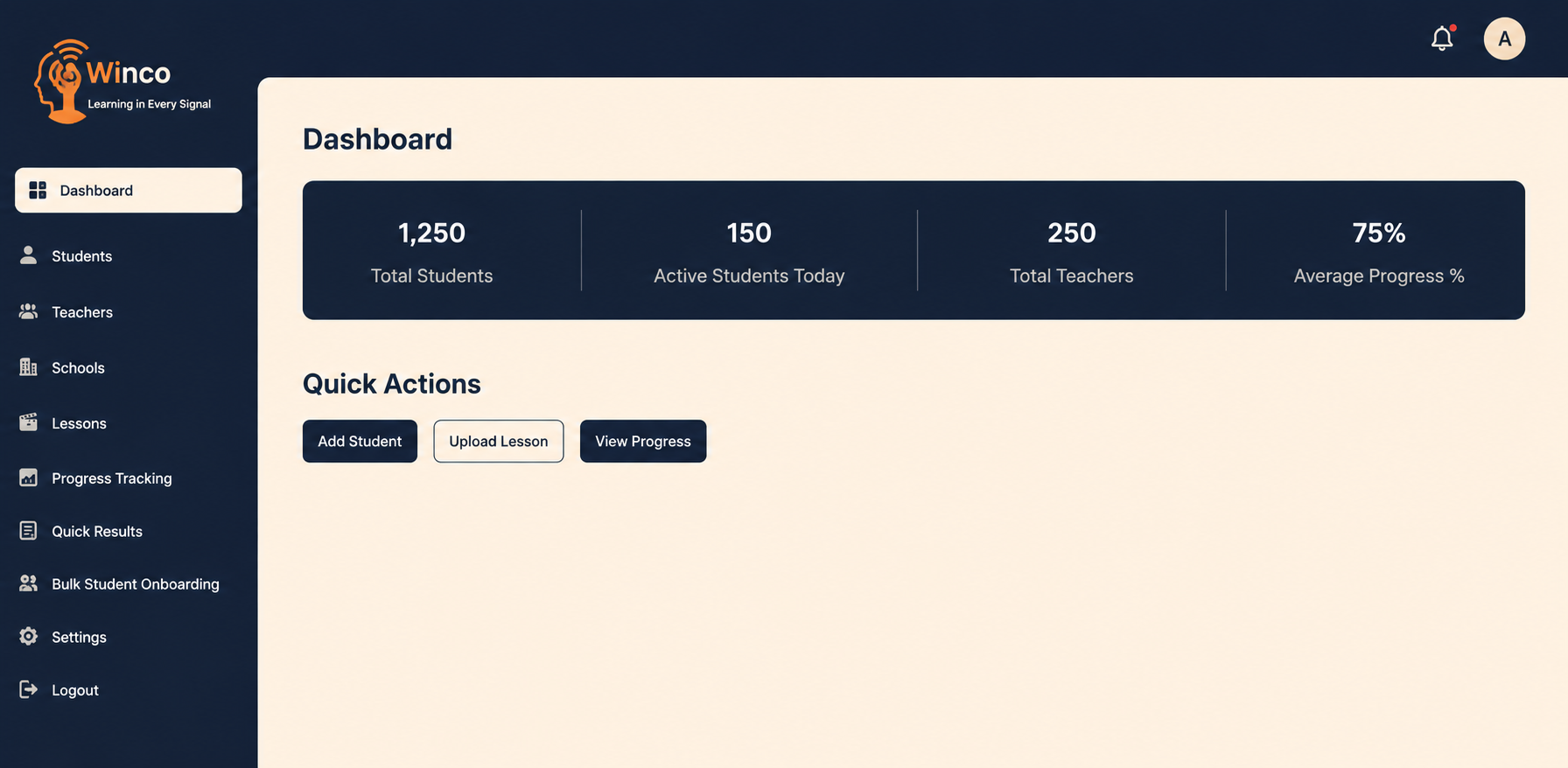
Winco helps educational organizations streamline learning operations with real-time student tracking, lesson management, AI-powered feedback, and centralized school administration.
1
Create Account
Set up your admin account and configure your school environment in minutes.
2
Set Up Your System
Add schools, customize settings, and organize your learning structure easily.
3
Add Users & Content
Add staff and teachers, enroll students and parents, and upload lessons, topics, and study materials.
4
Run & Improve
Track performance, monitor progress, and improve learning outcomes with real-time insights.
CORE FEATURES
Everything You Need All In One Platform
Winco helps educational organizations streamline learning operations with real-time student tracking, lesson management, AI-powered feedback, and centralized school administration.
Register Your School
Set up your school or organization through the admin panel by adding your school code, region, and admin details. One-time setup, easy management.
Student & Teacher Onboarding
Add students individually or in bulk. Assign teachers to specific classes and subjects. Every account is linked to Telegram automatically upon registration.
Structured Lesson Upload
Upload your curriculum in a clean Subject → Topic → Subtopic → Lesson hierarchy. Deliver well-organized content to every student consistently and on schedule.
Real-Time Progress Tracking
Visual bar charts and detailed tables show per-subject completion rates for every student. Instantly identify who needs help and which subjects need more attention.
AI-Powered Quiz Feedback
Every quiz answer receives instant, personalized AI feedback — whether correct or incorrect. Students are guided automatically without manual effort.
Flexible Admin Settings
Configure countries, curriculum regions, billing tags, Telegram bot commands, and role-based permissions — giving admins complete control over how the platform operates.
Admin Platform
A Closer Look At The Platform
Winco helps educational organizations streamline learning operations with real-time student tracking, lesson management, AI-powered feedback, and centralized school administration.
Students Management
View And Manage All Enrolled Students In One Place
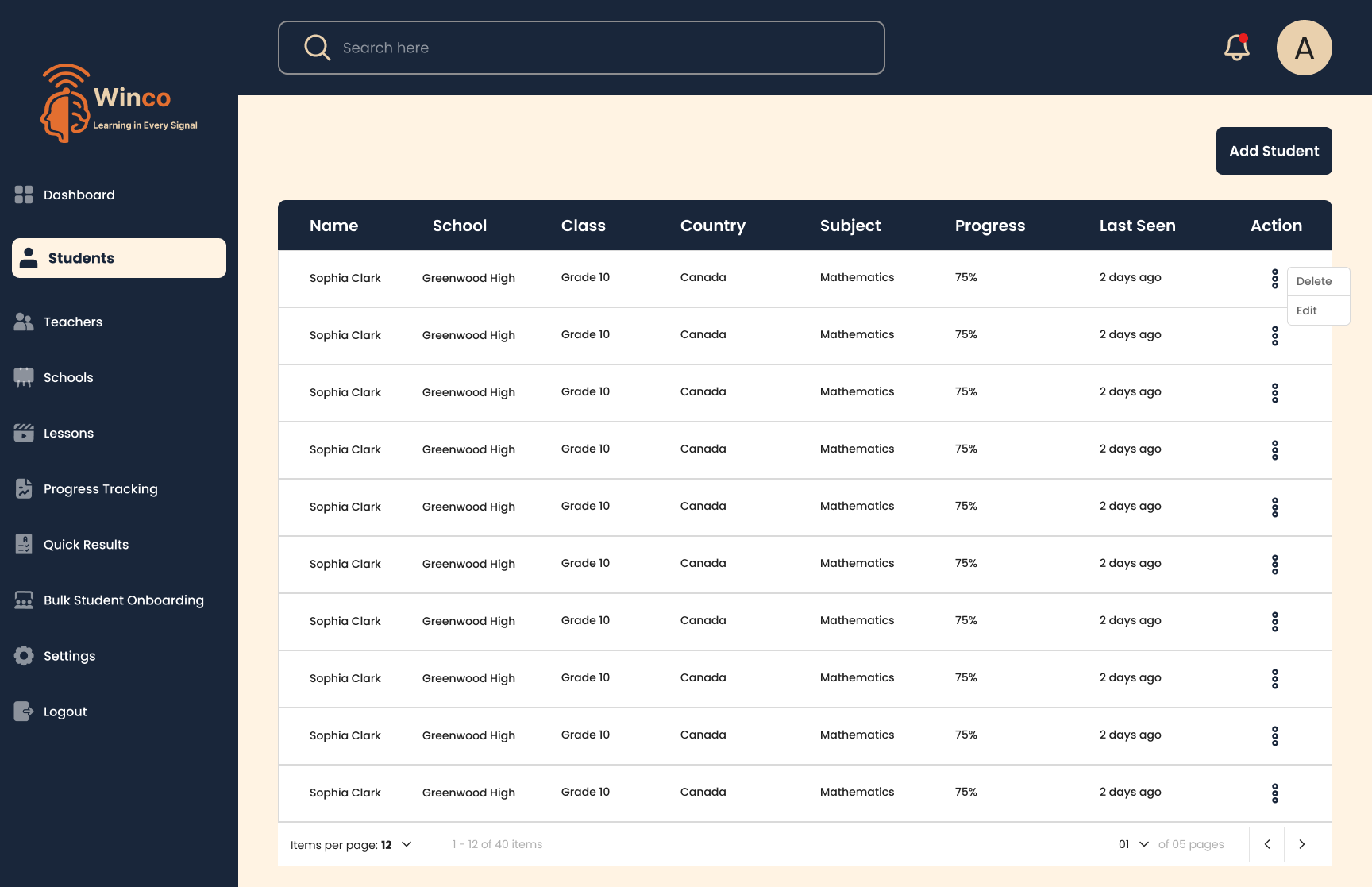
The Students screen gives you a complete, paginated list of every student in the system. Each row shows the student’s name, school, class, country, assigned subject, current progress percentage, and last active date. From the action menu, you can edit, view, or remove any student in one click. The search bar instantly filters across hundreds of records.
Name, School, Class, Country, Subject — all columns at a glance
Progress percentage highlighted per student row
Three-dot action menu: Delete, View, and Edit
Paginated table — 12 items per page with navigation
Add Student
Enroll New Students In
Under A Minute
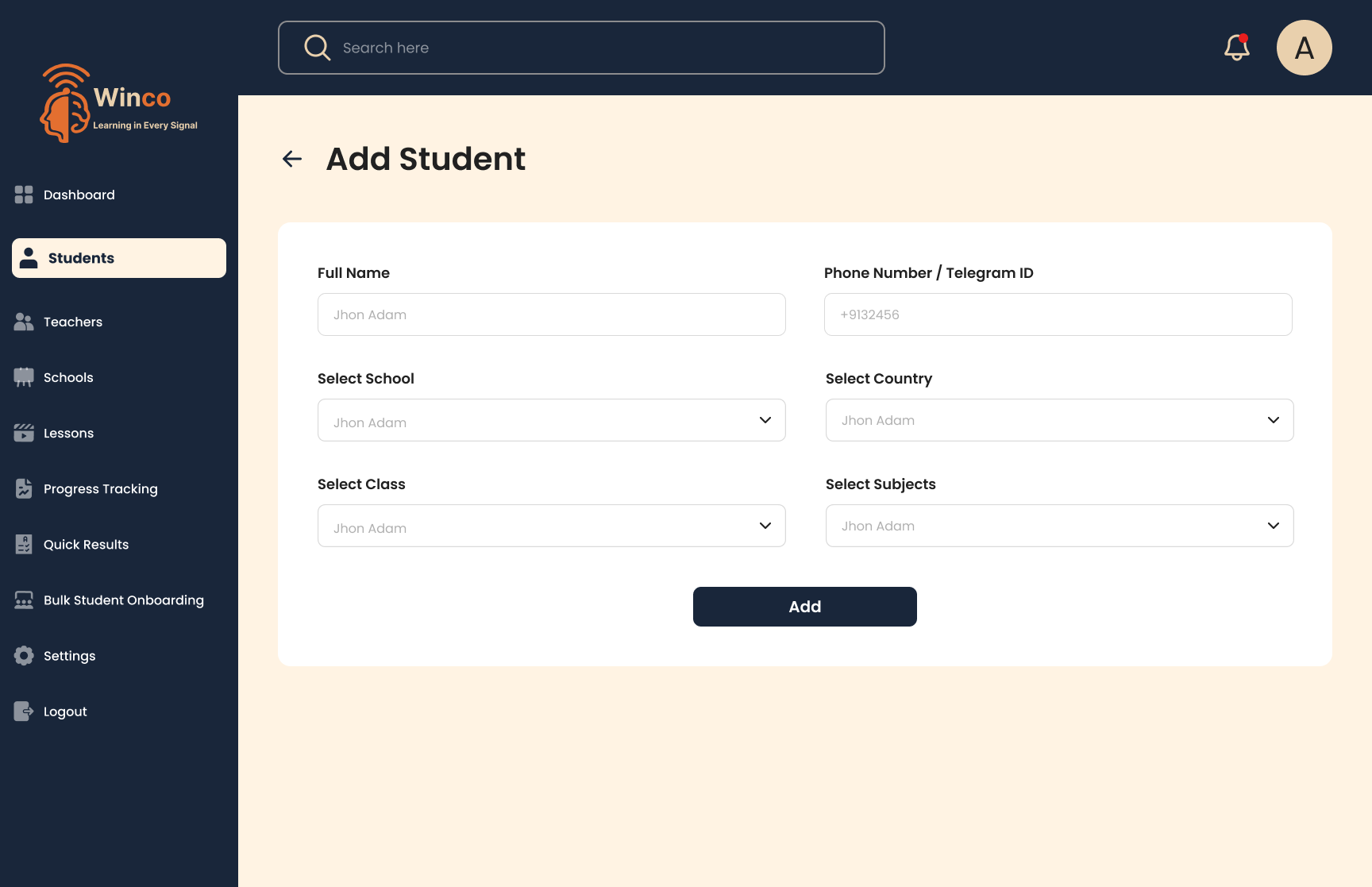
Adding a student is a simple, six-field form. Enter their full name and Telegram ID, then select their school, country, class, and subjects from dropdown menus. Submit the form and the student is instantly registered — their Telegram account is linked automatically and they begin receiving lessons without any delay or manual configuration on their end.
Full Name and Phone or Telegram ID entry fields
School and Country selection via clean dropdowns
Class and Subject assignment in one unified form
Auto-linked to Telegram bot immediately on submission
Progress Tracking
Real-Time Analytics For
Every Subject
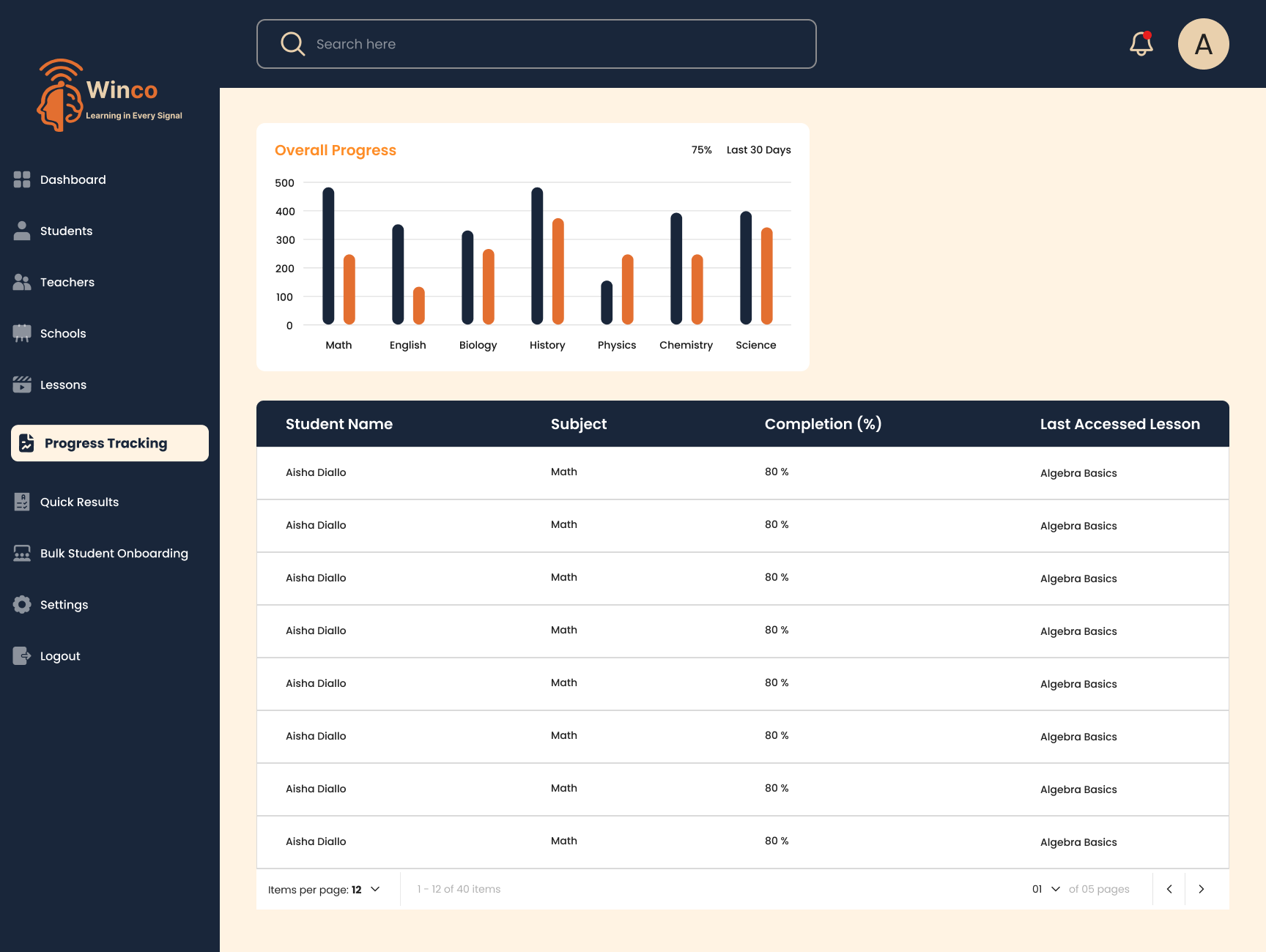
The Progress Tracking screen combines a visual bar chart with a granular data table. The chart at the top compares enrollment to completion across all seven subjects — Math, English, Biology, History, Physics, Chemistry, and Science. Below it, a detailed table shows each student’s name, subject, completion percentage, and their last accessed lesson. This screen makes it instantly clear where engagement is high and where intervention is needed.
Grouped bar chart — enrollment vs. completion per subject
75% average progress tracked over the last 30 days
Per-student table with subject, completion, and last lesson
Fully searchable and paginated for easy navigation
Quick Results
Quiz Results With
Instant AI Feedback
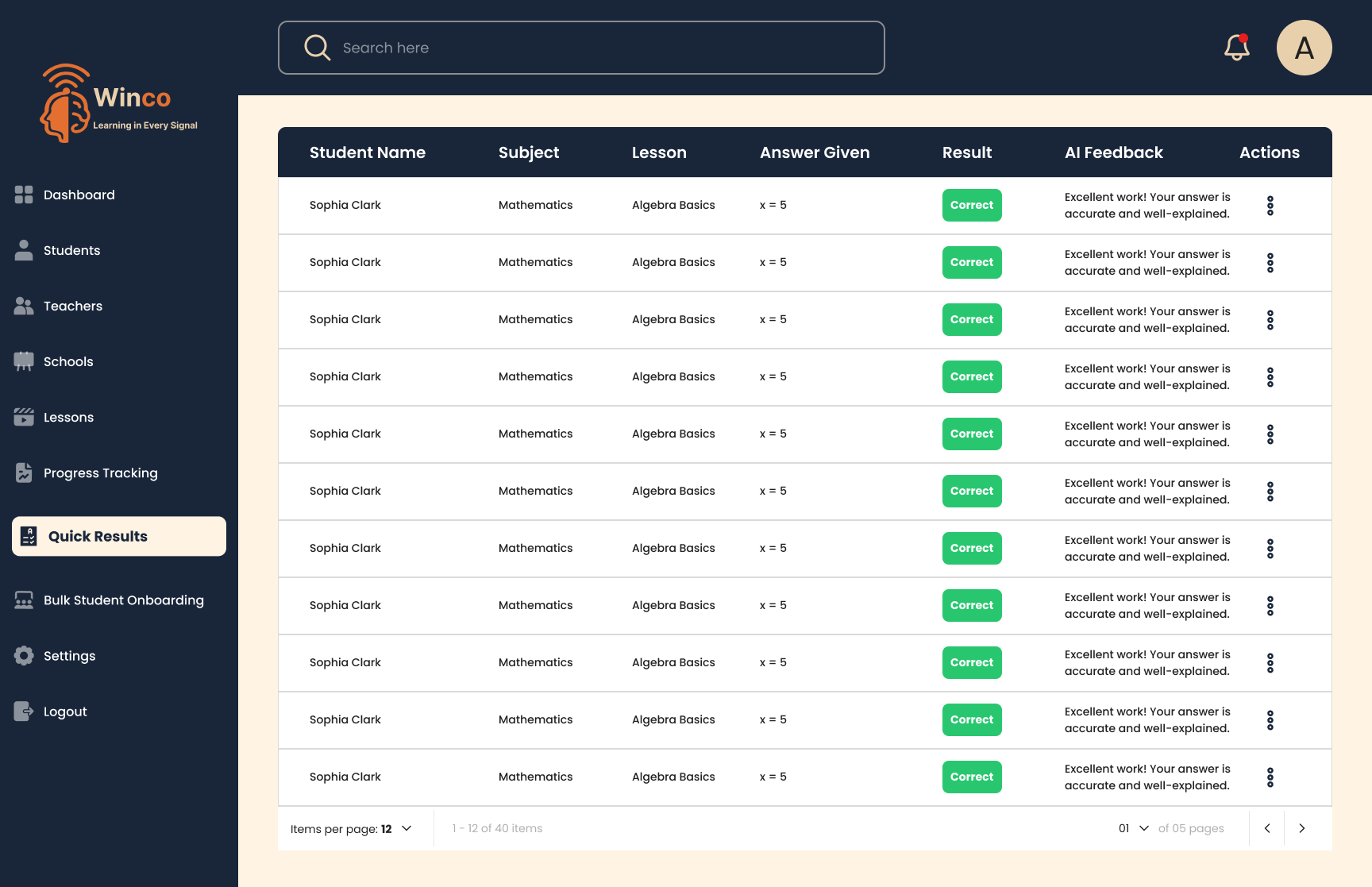
The Quick Results screen displays every student’s quiz submission alongside the AI-generated feedback comment. Each row shows the subject, lesson name, the exact answer submitted, a color-coded result badge, and a personalized AI comment such as “Excellent work! Your answer is accurate and well-explained.” This eliminates the need for teachers to manually review and respond to every quiz — AI handles it in real time.
Student, subject, lesson, and submitted answer per row
Green "Correct" and red "Incorrect" badge labels
AI-generated personalized feedback for every single answer
Action menu available for further review on any record
Settings
Full Platform
Control for Administrators
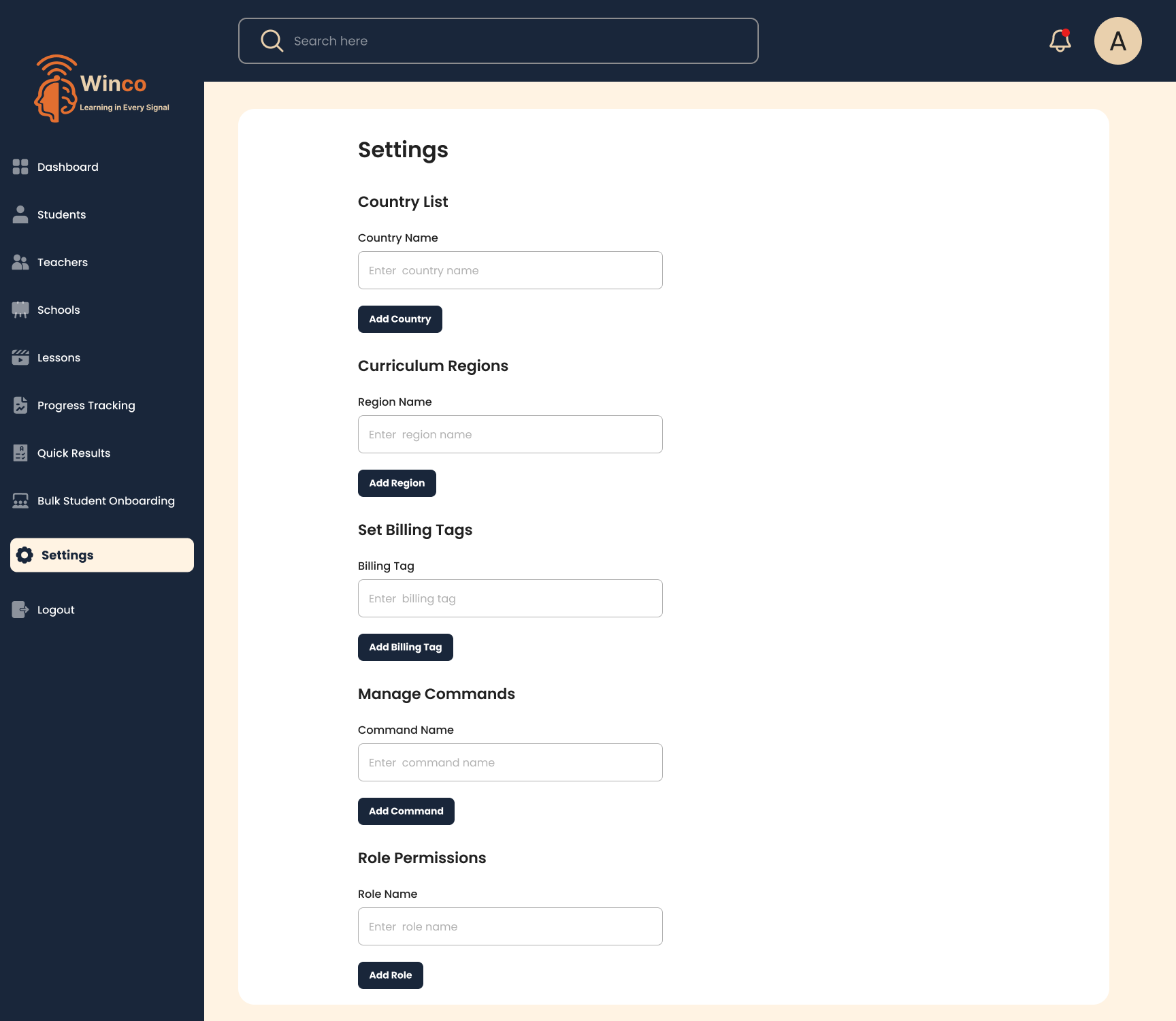
The Settings screen is the configuration hub of the entire Winco platform. Admins can add and manage countries available in the system, define curriculum regions for grouping content, configure billing tags for different monetization models, manage which Telegram bot commands are active, and set role-based access permissions — ensuring the platform works exactly the way each organization needs it to.
Country List — add and manage all supported countries
Curriculum Regions — define regional content groupings
Billing Tags — assign monetization and billing labels
Manage Commands — configure active Telegram bot commands
Role Permissions — granular access control per user role
What Users Say
Trusted By Educators Worldwide
Schools across four continents use Winco to manage their student learning experience — from first lesson to final result. Here is what the people running those schools have to say.
Sophia AdamsPrincipal, Greenwood High School
"Winco completely transformed how we track student progress. Before, we kept manual records that were always out of date. Now everything is live on the dashboard — and the AI feedback feature genuinely motivates our students to keep going."
Mason KingIT Administrator, Northwood Academy
"The bulk student onboarding feature saved us hours. We imported over 200 students using a single CSV upload in under five minutes. What used to take a full day is now done before morning coffee. An absolutely essential tool for school administrators."
Fiona JamesMathematics Teacher, Evergreen High
"The progress tracking chart shows me exactly which students are falling behind and in which subjects — in real time. I used to spend hours gathering this data manually. Now it updates automatically and I can act on it the same day. A genuine game-changer for teachers."
✦ Ready to get started?
Education Built For
The World You Live In
Register your school on Winco and manage your entire student learning experience — from enrollment to results — on one powerful, intuitive platform.